 Skip to content
%22%2F%3E%3Ccircle%20cx%3D%221100%22%20cy%3D%2290%22%20r%3D%22230%22%20fill%3D%22%23bb8fff%22%20opacity%3D%22.12%22%2F%3E%3Ccircle%20cx%3D%221020%22%20cy%3D%22680%22%20r%3D%22280%22%20fill%3D%22%238a54ec%22%20opacity%3D%22.17%22%2F%3E%3Ctext%20x%3D%2264%22%20y%3D%2280%22%20fill%3D%22%23cbaaff%22%20font-size%3D%2225%22%20font-weight%3D%22700%22%20letter-spacing%3D%223%22%20font-family%3D%22Arial%2Csans-serif%22%3EGOSOCIAL%20%C2%B7%20INSIGHTS%3C%2Ftext%3E%3Ctext%20x%3D%2264%22%20y%3D%22190%22%20fill%3D%22%23f6f0ff%22%20font-size%3D%2250%22%20font-weight%3D%22700%22%20font-family%3D%22Arial%2Csans-serif%22%3EHow%20to%20optimise%20your%20Facebook%3C%2Ftext%3E%3Ctext%20x%3D%2264%22%20y%3D%22251%22%20fill%3D%22%23f6f0ff%22%20font-size%3D%2250%22%20font-weight%3D%22700%22%20font-family%3D%22Arial%2Csans-serif%22%3Eadvertising%20campaigns%20for%20better%3C%2Ftext%3E%3Ctext%20x%3D%2264%22%20y%3D%22312%22%20fill%3D%22%23f6f0ff%22%20font-size%3D%2250%22%20font-weight%3D%22700%22%20font-family%3D%22Arial%2Csans-serif%22%3EROI%3C%2Ftext%3E%3Cg%20transform%3D%22translate(850%20260)%22%20fill%3D%22none%22%20stroke%3D%22%23c6a4ff%22%20stroke-width%3D%2210%22%20stroke-linecap%3D%22round%22%20stroke-linejoin%3D%22round%22%3E%3Crect%20x%3D%220%22%20y%3D%220%22%20width%3D%22240%22%20height%3D%22180%22%20rx%3D%2224%22%2F%3E%3Cpath%20d%3D%22M40%20130l50-50%2045%2025%2065-65%22%2F%3E%3Cpath%20d%3D%22M157%2040h43v43%22%2F%3E%3Cpath%20d%3D%22M70%20215h100M120%20180v35%22%2F%3E%3C%2Fg%3E%3Ctext%20x%3D%2264%22%20y%3D%22655%22%20fill%3D%22%23ceb9ed%22%20font-size%3D%2223%22%20font-family%3D%22Arial%2Csans-serif%22%3EClear%20ideas.%20Better%20decisions.%3C%2Ftext%3E%3C%2Fsvg%3E)
1. Define your advertising goals
Before launching any Facebook advertising campaign, it is crucial to define your goals precisely. This initial step helps you structure campaigns and assess their success objectively.

1.1 Awareness goals
When you want to increase brand visibility, your goals will mainly focus on awareness. This type of goal aims to reach a broad audience and introduce your brand to new people. Measure the impact on brand recognition by monitoring indicators such as the number of people who saw the ad, brand recall rate and overall awareness changes. You can also use formats such as brand videos or ads with captivating images to attract attention.
1.2 Traffic goals
To direct visitors to your website, define traffic-oriented goals. This means designing ads that encourage users to click and visit specific pages, such as a product page or blog article. Campaign effectiveness can be measured through ad clicks, click-through rate (CTR) and visitor behaviour on your website. Optimise campaigns by testing different hooks, calls to action and images to determine what generates the most interaction.
1.3 Engagement goals
If you want to encourage interaction with your posts, your goals will focus on engagement. This includes likes, comments, shares and other interactions with your ads. Ads generating strong engagement can also improve your posts’ organic reach. To maximise engagement, create relevant, interactive content such as polls, competitions or open questions. You can also target specific audiences more likely to respond to your posts.
1.4 Conversion goals
Conversion goals focus on specific actions, such as sales or lead generation. Track metrics such as cost per acquisition (CPA) and return on ad spend (ROAS). Ads should have clear calls to action and compelling offers to encourage the desired action. You can use strategies such as remarketing to target visitors who have already shown interest in your products or services.
2. Configure the Facebook Pixel correctly
The Facebook Pixel is a crucial tracking tool for measuring and optimising campaign performance. Correct installation and appropriate configuration are essential for accurate data and making the most of your advertising efforts.
2.1 Pixel installation
Start by opening Facebook Ads Manager and creating a Pixel. Then add the Pixel code to your website. This can generally be done by inserting it into the site header or using a tag manager such as Google Tag Manager. Once installed, use the Meta Pixel Helper Chrome extension to verify correct operation and ensure there are no configuration issues.
2.2 Event configuration
Once the Pixel is installed, configure the events you want to track. Events may include actions such as adding to cart, purchases or registrations. Customise events according to the specific actions you want to track. For example, create custom events for interactions specific to your products or services, allowing deeper analysis of user behaviour and campaign optimisation accordingly.
2.3 Troubleshooting
Resolve tracking issues quickly to avoid inaccurate data. If you have Pixel difficulties, check your website code for conflicts with other scripts or tags. Use Facebook’s diagnostic tools to identify and resolve potential issues, and ensure data is correctly transmitted and recorded.
3. Use the Conversions API for more accurate data
Facebook’s Conversions API provides more reliable data through a server-to-server system, particularly useful when cookies are blocked or tracking data is limited.

3.1 Benefits of the Conversions API
The Conversions API improves data accuracy by working around cookie limitations. It tracks conversions and interactions more reliably, which is essential to campaign optimisation. More precise data helps you understand user behaviour and adjust advertising strategies accordingly. This helps attribute conversions correctly and optimise budgets based on actual performance.
3.2 Configure the Conversions API
Follow Facebook’s guides to integrate the Conversions API with your server. This integration may require technical skills, so working with a developer may be useful. After setup, verify that data is correctly sent to Facebook and all conversions are recorded. Monitor performance and make adjustments to ensure the API works as expected.
4. Create effective audiences
Creating targeted audiences is essential to reach the right people with your ads. Precise segmentation delivers more relevant messages and optimises campaign results.

4.1 Hot and warm audiences
Hot and warm audiences consist of people who have already interacted with your brand or website. Targeting them may increase conversion chances because they are already familiar with your business. Create hot audiences by targeting recent website visitors, page followers or past customers. Use messages and special offers to encourage action such as a purchase or registration.
4.2 Lookalike audiences
Lookalike audiences reach new people sharing characteristics with your best customers. To create one, upload a list of your best customers or use existing audience data. Facebook then finds people with similar behaviours and interests. Adjust audience size according to your needs, choosing a broad or more targeted audience to align advertising efforts with your goals.
4.3 Custom audiences
Custom audiences segment your audience according to specific behaviours, such as abandoned carts or visitors to a particular page. They target users who have already shown interest in your products or services. For example, create audiences based on specific page visits or actions in your mobile app. Targeted campaigns for these audiences can improve ad relevance and increase conversion rates.
Also read: A guide to creating effective Facebook ads in 2024
5. Structure campaigns around the sales funnel
Organising campaigns according to sales funnel stages maximises effectiveness by addressing prospects’ specific needs at each stage.
5.1 Top of Funnel (TOF)
At the top of the sales funnel, the goal is to introduce prospects to your brand. TOF campaigns reach a broad audience and increase brand awareness. Use formats that capture attention and generate interest, such as videos or dynamic ads. Measure impact using metrics such as reach, impressions and awareness rate.
5.2 Middle of Funnel (MOF)
In the middle of the funnel, engage prospects who have already shown interest. MOF campaigns focus on education and persuasion. Create ads providing more information about your products or services, such as demonstrations or case studies. Use client testimonials and social proof to build credibility and encourage deeper engagement.
5.3 Bottom of Funnel (BOF)
At the bottom of the funnel, the goal is to convert prospects ready to buy. BOF campaigns should focus on final persuasion and encouraging action. Use special offers, discounts or strong calls to action to encourage purchases or completed contact forms. Track performance through conversion rate, cost per acquisition and return on ad spend.
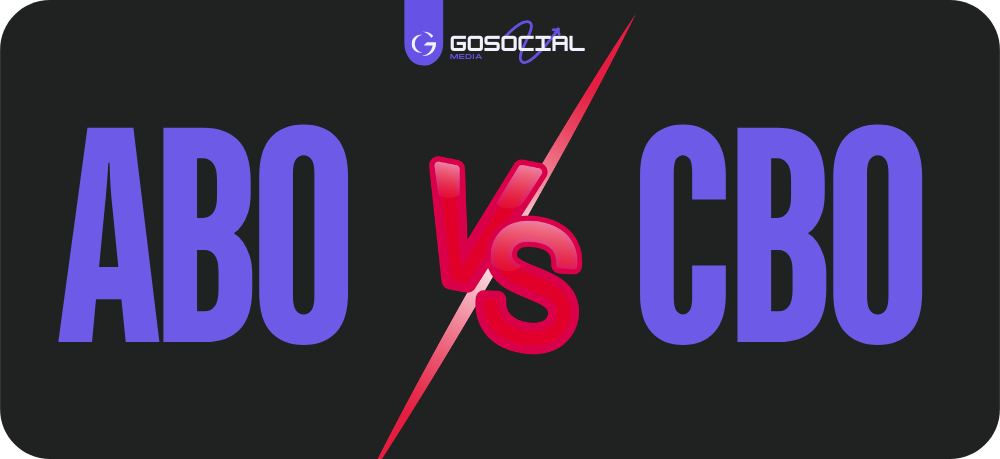
6. Choose between CBO and ABO
Facebook offers two advertising budget management methods: Campaign Budget Optimization (CBO) and Ad Set Budget Optimization (ABO). Choosing between them can significantly influence campaign performance.
6.1 CBO (Campaign Budget Optimization)
With CBO, you set a campaign-level budget and Facebook automatically allocates it across ad sets. This provides more flexible budget management and automatic optimisation based on ad set performance. CBO is particularly useful for campaigns with several ad sets having different goals, or when you want to maximise budget efficiency based on real-time performance.
6.2 ABO (Adset Budget Optimization)
ABO lets you control each ad set’s budget individually. This provides more granular control of allocation between sets, ideal when ad sets have very specific goals or audiences. ABO is useful for testing different strategies or adjusting budgets according to each ad set’s performance.
7. Optimise creative and ad formats
The quality and diversity of creative play a crucial role in campaign effectiveness. Attractive, well-designed ads can considerably improve campaign performance.
7.1 Ad formats
Facebook offers a variety of ad formats, each with its own benefits. Photo ads are simple but effective for attracting attention, while video ads tell a fuller story and engage users. Carousel ads present several products or features in one advertising space. Experiment with formats to determine which works best with your audience. Use high-quality visuals, clear messages and compelling calls to action to maximise creative impact.
7.2 User Generated Content (UGC)
User-generated content (UGC) can bring authenticity to campaigns. Customer reviews, testimonials and photos build credibility and encourage others to interact with your brand. Include testimonials in ads to show customer satisfaction and increase trust. UGC is particularly effective for campaigns focused on social proof and peer validation.
Also read: The benefits of user-generated content (UGC)
8. Use tools to monitor competitors
Analysing competitors’ advertising strategies provides valuable information and ideas to improve your own campaigns. Here are tools to help monitor competition:
8.1 Facebook Ads Library
The Facebook Ads Library is a free tool allowing you to view all ads currently delivered by competitors. See their messages, visuals and calls to action for ideas about what works in your industry. Use the library to analyse strategies and identify improvement opportunities for your own campaigns.
8.2 Competitor analysis tools
Specialist tools such as Unicorn Ads and AdCreativeBank analyse popular ads and reveal best practices in your industry. They provide insights into the best-performing creative, current trends and effective strategies. Use this data to refine campaigns and remain competitive in a constantly changing advertising environment.
9. Analyse and adjust campaigns
Continuous campaign monitoring and adjustment are essential to maintain high ROI and improve performance over time.
9.1 Performance tracking
To assess campaign effectiveness, track KPIs such as cost per click (CPC), cost per acquisition (CPA) and conversion rate. Use Facebook’s reporting tools for detailed ad performance data. Analyse results to identify trends and areas needing adjustments.
9.2 Continuous adjustments
A/B testing is an effective optimisation method. Test different versions of ads, including images, text and calls to action, to determine what works best. Adjust budgets, audiences and creative according to results to continually improve performance. Regular data-based adjustments help maximise campaign effectiveness and reach advertising goals.
Also read: Understanding KPIs: a beginner’s guide
Conclusion
To maximise Facebook advertising ROI, define clear goals, configure the Facebook Pixel correctly and use tools such as the Conversions API. Precise audience targeting and adapted messages can improve engagement and conversions. Regular tracking and adjustments help you remain effective and competitive.
“To maximise Facebook Ads ROI, focus on in-depth data analysis to adjust audiences and messages in real time, while continually experimenting with creative formats suited to your audience’s changing preferences.”
GoSocial: your partner of choice
GoSocial is a digital marketing agency specialising in helping small businesses maximise their online potential. Our services include website creation, SEO optimisation, Google ads, Facebook ads, and TikTok ads. We build measurable strategies tailored to your offer and goals.
Ready to improve your local visibility and attract more customers in your area? Contact GoSocial today for a free audit. Together, let’s make your business the preferred choice of local customers.
Request your quote and start leading local search results with GoSocial.


